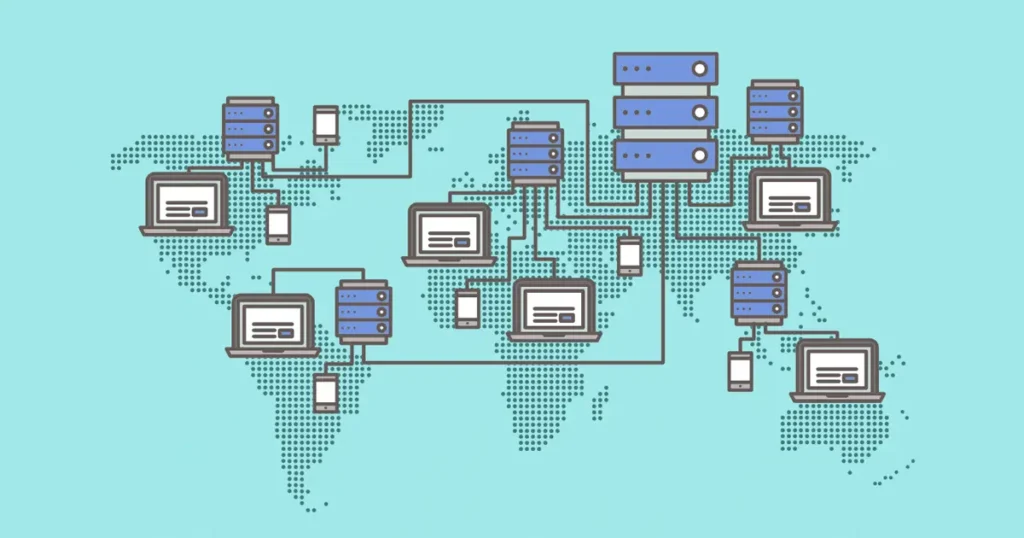
1. What is a Server?
A server is a powerful computer or system that provides services, data, or resources to other computers (called clients) over a network or the internet.
When you open a website, send email, or download a file, your device sends a request to a server. The server processes that request and sends the required information back to you.
Servers can perform many different tasks depending on their type, such as:
-
Hosting websites
-
Storing files and databases
-
Running applications
-
Managing networks
-
Handling email services
For example, when someone opens a website built with WordPress, the request goes to a web server which processes the request and sends the webpage to the user’s browser.
Types of Servers
Common types include:
-
Web Server
-
Database Server
-
File Server
-
Email Server
-
Application Server
Each server is designed to handle specific tasks efficiently.
2. What is Storage?
Storage refers to the system used to save and store digital data on a server or computer.
Servers store many types of data, including:
-
Website files
-
Images and videos
-
Databases
-
Emails
-
Backups
Storage devices keep this data so it can be accessed whenever needed.
Common Storage Types
1. HDD (Hard Disk Drive)
Traditional storage device with spinning disks. Slower but cheaper.
2. SSD (Solid State Drive)
A faster storage device that uses flash memory instead of moving parts.
Examples:
-
Solid-State Drive
-
Hard Disk Drive
Modern hosting servers usually use SSD because it increases speed and performance.
3. How FTP Works
FTP (File Transfer Protocol) is a network protocol used to transfer files between a computer and a server over the internet.
Developers and website owners use FTP to:
-
Upload website files to a server
-
Download files from a server
-
Manage website folders
A common FTP client software is FileZilla.
How FTP Works Step-by-Step
-
The user opens an FTP client (like FileZilla).
-
The user enters:
-
server address
-
username
-
password
-
-
The client connects to the FTP server.
-
Once connected, the user can upload, download, delete, or modify files on the server.
Example:
You build a website on your computer and then upload the files to your hosting server using FTP.
4. How HTTP Works
HTTP (HyperText Transfer Protocol) is the protocol used for communication between web browsers and web servers.
It is the foundation of data communication on the web.
When you open a website, your browser sends an HTTP request to the web server, and the server sends back an HTTP response containing the webpage.
Modern websites often use the secure version called HTTPS.
How HTTP Works Step-by-Step
-
A user types a website URL in a browser.
-
The browser sends an HTTP request to the server.
-
The server processes the request.
-
The server sends an HTTP response containing the webpage files.
-
The browser displays the website.
Example flow:
Browser → Request page
Server → Sends HTML, CSS, and images
Browser → Displays the webpage
Difference Between FTP and HTTP
| Feature | FTP | HTTP |
|---|---|---|
| Purpose | File transfer | Website communication |
| Used for | Upload/download files | Display web pages |
| Users | Developers/administrators | Website visitors |
| Example use | Uploading website files | Opening a webpage |
Simple Summary
-
Server: A computer that provides services or data to other devices.
-
Storage: The system that stores website files, databases, and other data.
-
FTP: A protocol used to transfer files between a computer and a server.
-
HTTP: A protocol used by browsers and servers to load and display web pages.