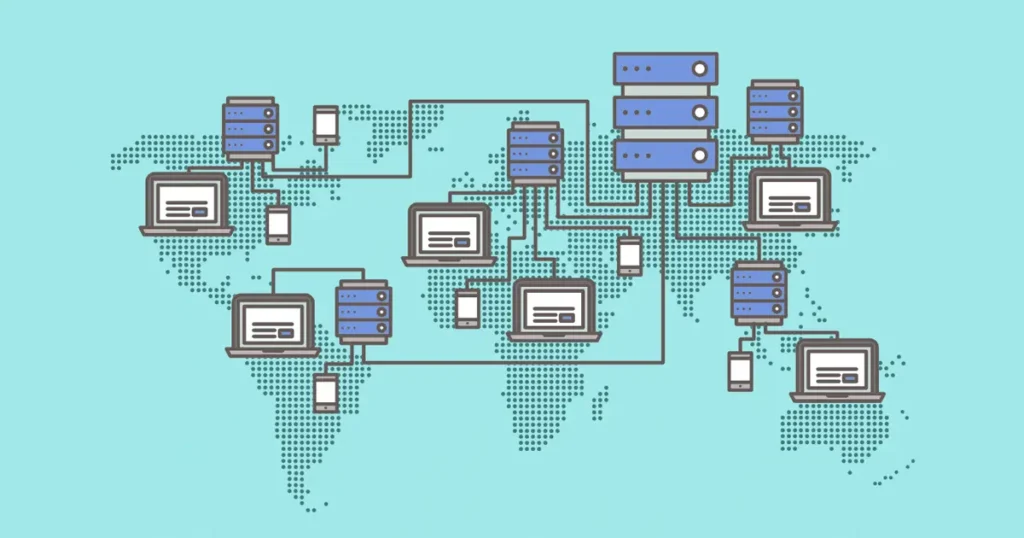
1. Network Server
A network server is a computer or system that manages and provides resources, services, or data to other computers (clients) on a network.
In a network environment, many computers connect to one central machine that controls things like:
-
File sharing
-
Internet access
-
Printer sharing
-
User authentication
-
Application hosting
This central machine is the network server.
Example:
In an office, 20 computers may connect to one server that stores files and manages network access.
Network servers operate using protocols such as TCP/IP to communicate with other devices on the network.
Simple idea
Client → requests data
Server → sends data
2. Database Server
A database server is a server that stores, manages, and processes databases and responds to requests from applications.
Instead of just storing files, it specifically handles structured data like:
-
user accounts
-
website posts
-
product information
-
transactions
Applications send queries to the database server, and the server returns the requested data.
A common database system used in websites is MySQL.
Example with a website built on WordPress:
When someone opens a blog post:
-
Browser requests page
-
Web server sends request to database server
-
Database server retrieves the post from database
-
Page is displayed to the user
So the database server is responsible for data storage and retrieval.
3. Server Down
Server down means a server is not functioning or not accessible, so users cannot access the service or website.
When a server is down, things like:
-
websites stop loading
-
applications stop working
-
users cannot connect to the service
Common reasons for server down
-
Hardware failure
-
Software crash
-
Network failure
-
Power outage
-
Server overload (too many users)
-
Maintenance
For example, if a hosting server from Hostinger goes down, all websites hosted on that server may become temporarily unavailable.
Quick Summary
| Term | Meaning |
|---|---|
| Network Server | Manages network resources and provides services to other computers |
| Database Server | Stores and manages databases for applications |
| Server Down | Server is offline or not working, so services stop |
If you’re learning web hosting or server management, you should also understand three closely related terms that confuse beginners:
-
Web Server
-
DNS Server
-
Application Server
If you want, I can break those down too.
Here’s a detailed explanation of each term in clear language:
1. Network Server
A network server is a central computer or device that provides services and resources to other computers (clients) on a network.
It acts like a hub where multiple devices connect to share:
-
Files (documents, images, videos)
-
Printers or hardware
-
Internet connection
-
Applications
-
User authentication (login permissions)
How it works:
-
A client (computer, smartphone, or other device) sends a request to the network server.
-
The network server processes the request and sends back the required data or service.
Example:
-
In an office with 50 computers, there is often one network server that stores all company files and manages who can access them.
Network servers use protocols like TCP/IP to communicate efficiently.
2. Database Server
A database server is a computer system that stores, manages, and provides access to databases.
Databases are structured collections of data such as:
-
User accounts and passwords
-
Website content (posts, pages)
-
Products in an online store
-
Transaction records
How it works:
-
Applications or websites send a query to the database server.
-
The server retrieves or updates the data and sends it back to the application.
Example:
-
A WordPress website:
-
User clicks to view a blog post.
-
Web server requests the post from the database server.
-
Database server retrieves the content from MySQL or other database.
-
Web page displays the post to the user.
-
Database servers make websites dynamic, meaning the content can change depending on users’ actions.
3. Server Down
When a server is down, it means the server is offline, malfunctioning, or unreachable, and the services it provides stop working.
Signs of a server being down:
-
Websites fail to load
-
Applications don’t respond
-
Emails cannot be sent or received
-
Users cannot log in
Common Causes:
-
Hardware failure (disk crash, overheating)
-
Software crash or configuration error
-
Network problems (internet or LAN failure)
-
Power outage
-
Server overload (too many requests at once)
-
Scheduled or unscheduled maintenance
Example:
-
If a hosting server at Hostinger goes down, all websites hosted on that server will become temporarily unavailable.
Quick Comparison Table
| Term | Role / Meaning | Example |
|---|---|---|
| Network Server | Provides resources and services to client devices | Office file server |
| Database Server | Stores and manages structured data for applications | MySQL server for WordPress |
| Server Down | Server is offline or not functioning | Website unavailable due to server crash |
If you want, I can also make a diagram showing the difference between network server, database server, and server down — it makes understanding much easier.