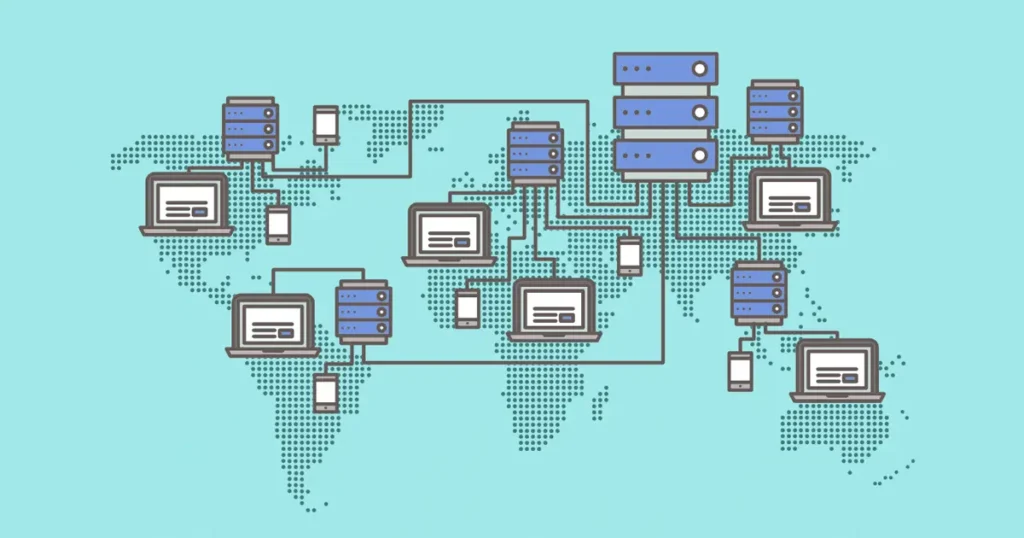
A server is a powerful computer that provides data, files, and services to other computers over a network. Learn how servers work, their types, and why they are essential for websites, apps, and online services.
1. What is a Server?
A server is a special type of computer or system that provides data, resources, or services to other computers (clients) over a network or the internet.
Unlike a personal computer, which is mainly used by one person, a server is designed to handle multiple requests from many users simultaneously and run continuously 24/7.
Servers are the backbone of the internet and are used to:
-
Host websites
-
Store and manage data
-
Handle emails
-
Run applications
-
Manage networks
Example:
When you open a website like WordPress, your browser sends a request to the server where the website is hosted. The server processes your request and sends the webpage back to your browser.
2. Types of Servers
Servers come in many types, depending on their purpose:
| Type of Server | Purpose |
|---|---|
| Web Server | Hosts websites and delivers web pages |
| Database Server | Stores and manages data for applications |
| File Server | Stores and shares files across a network |
| Email Server | Sends, receives, and stores emails |
| Application Server | Runs applications for users |
| DNS Server | Converts domain names into IP addresses |
3. How Does a Server Work?
Servers work on the client-server model, which means they wait for requests from clients (computers, browsers, or apps) and respond with the requested data or service.
Step-by-Step Process:
Step 1: Client Sends a Request
-
A client (your computer, phone, or tablet) requests something from the server.
-
Example: Typing www.example.com in your browser.
Step 2: Server Receives the Request
-
The server listens on specific network ports for incoming requests.
-
Web servers usually listen on port 80 (HTTP) or port 443 (HTTPS).
Step 3: Server Processes the Request
-
The server identifies what the client is asking for.
-
If it’s a website, it may retrieve HTML, CSS, images, and data from a database.
-
If it’s email, it checks the mailbox and prepares the response.
Step 4: Server Sends a Response
-
The server sends the requested data back to the client.
-
For websites, this is an HTTP response containing the page content.
Step 5: Client Receives the Data
-
The client’s browser or app receives the data and displays it.
-
This process happens in milliseconds, even for thousands of simultaneous users.
4. Key Components of a Server
To handle requests efficiently, a server typically has:
-
CPU (Processor): Handles multiple requests at high speed
-
RAM: Temporary memory for processing active tasks quickly
-
Storage: Saves files, databases, and backups (SSD is faster than HDD)
-
Network Interface: Connects to the internet or LAN
-
Operating System: Manages hardware and server software (Linux, Windows Server)
-
Server Software: Provides specific services (Apache, Nginx, MySQL, etc.)
5. Real-Life Example: WordPress Website
-
A user opens a WordPress blog in their browser.
-
Browser sends an HTTP request to the web server.
-
Web server asks the database server for the blog post content.
-
Database server sends the content back to the web server.
-
Web server compiles the page (HTML, CSS, images) and sends it to the user’s browser.
-
Browser displays the blog post instantly.
This entire process takes milliseconds.
6. Why Servers Are Important
-
Websites cannot work without servers.
-
Online apps like Gmail, Netflix, or Facebook rely on thousands of servers worldwide.
-
Servers allow multiple users to access the same data at the same time.
-
They enable cloud computing, file sharing, emails, and online gaming.
Quick Summary
-
Server: A computer that provides services, resources, or data to clients.
-
How it works: Client → Server → Processes Request → Sends Response → Client receives data.
-
Components: CPU, RAM, Storage, Network Interface, OS, Server Software.
-
Example: When you open a website, the web server and database server work together to deliver the content in milliseconds.